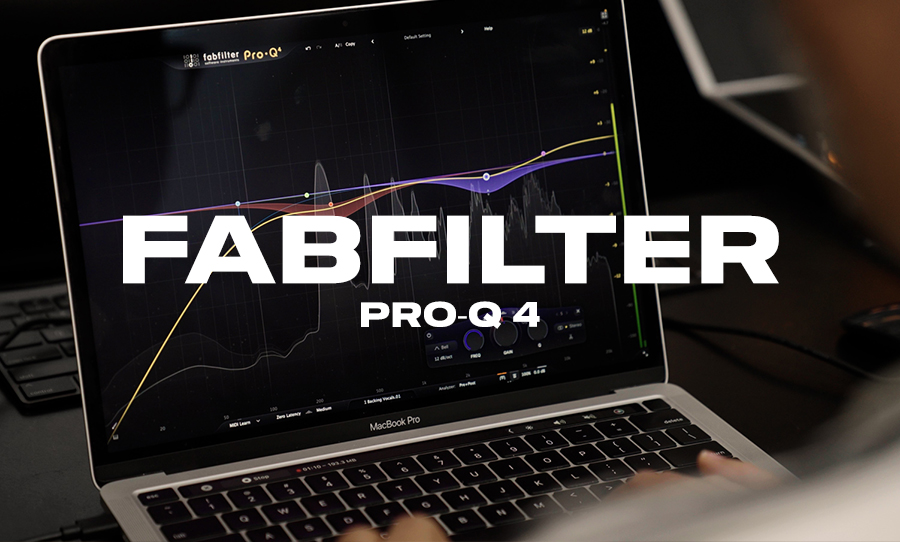
FabFilter has long been one of the most trusted names in modern production and their flagship EQ has become the standard for mixers who want precision, clarity and a fast workflow. With Pro Q4 they have pushed the tool forward in a way that feels genuinely useful rather than cosmetic. It is still the same transparent and intuitive equaliser us engineers rely on, but with new features that deepen what it can do and speed up how you work.
View this post on Instagram
Pro Q3 was already a favourite across professional studios because of its clean sound and fluid interface. As modern sessions get larger and more complex, the need for an EQ that can keep up becomes more important. When you are juggling many stems, busy arrangements or multiple versions of the same mix, workflow matters as much as sound quality. Pro Q4 preserves everything that worked before and adds meaningful improvements that help you mix faster, cleaner and with more control, something we can all get behind.
Pro Q4 still feels instantly familiar. The interface is responsive and uncluttered. The filters sound clean whether you are making tiny adjustments or significant corrections. It remains one of the easiest EQs for new engineers to learn while still offering the depth required by professionals. If you have used any previous version, the transition to Q4 is seamless.
Okay So What’s New?
Pro Q4 brings several standout features that meaningfully expand how you can work.
• Spectral Dynamics. This allows each EQ band to react only to the problematic frequencies inside that band rather than treating the whole range equally. It behaves like a more intelligent form of dynamic EQ.
• EQ Sketch. You can now draw a tone curve directly on the display and the plugin will create matching bands. It is fast, intuitive and ideal for quick shaping before you refine things further.
• Instance List. On large sessions you can view and manage every instance of Pro Q4 in one window. This makes mix organisation significantly easier.
• Character Modes. Clean, Subtle and Warm modes give the EQ its own tonal behaviour. You can stay completely transparent or introduce gentle colour without using extra plugins.
• Improved dynamic bands and filter precision. You get deeper control over attack, release, slopes and behaviour of each band. Support for surround and immersive audio formats has been expanded too.
Once you drop Pro Q4 into a session the benefits become obvious. Spectral Dynamics is excellent for problem solving. It can catch harsh vocal moments, tame ringing cymbals or clean up resonances in guitars without affecting the surrounding frequencies. EQ Sketch is perfect at the start of a mix when you want to quickly map out a tonal shape. Character Modes make it easy to add a gentle lift or warmth to a bus without reaching for a separate colouring tool.
For a dense arrangement like our cover of Yoshimi Battles the Pink Robots, Pro Q4 became a central workhorse. It handled vocal shaping, drum clarity, guitar smoothing and overall mix polish in one consistent workflow. Because it loads quickly and behaves predictably, it is easy to place it across many tracks without slowing the session down.
Okay so if you already own Pro Q3 and you rarely use dynamic EQ or large session management, the upgrade may feel less urgent. Some users may also find that the expanded feature set encourages over processing if they are not careful. As always with FabFilter, it is easy to get carried away because the tools feel so fluid.
FabFilter Pro Q4 is a significant step forward for an EQ that was already industry leading. The new features are not gimmicks. They meaningfully improve tone shaping, corrective work and workflow. Pro Q4 remains clean, musical, responsive and adaptable to nearly any mix scenario. For studios looking to streamline their sessions and improve precision without sacrificing speed, it is one of the best EQs available. It earns its place not just as an upgrade but as a central tool in modern production.