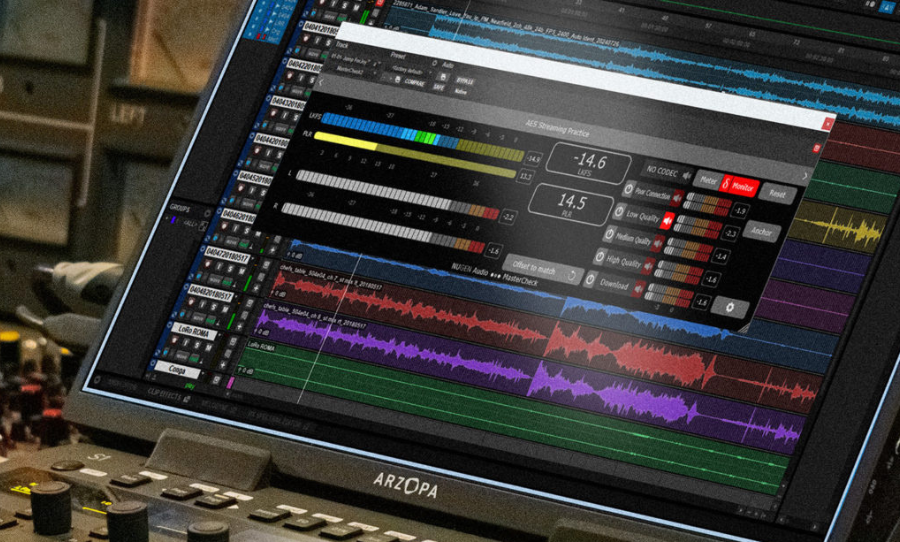
NUGEN Audio help you hear how your music holds up once it moves beyond your studio with MasterCheck 2.
NUGEN Audio have extended their MasterCheck tool with MasterCheck 2, a plugin designed to help you understand how mixes and masters behave once they leave the studio and start moving through real playback environments.
Rather than offering another way to boost volume, MasterCheck 2 focuses on previewing how loudness normalisation and encoding can shape a track after export.
As more people produce and finish music entirely in the box, often at home and without access to large studios or dedicated mastering rooms, tools like MasterCheck 2 start to feel increasingly relevant.
When you are working on headphones or a familiar pair of monitors, having a way to preview how a track might translate beyond that space can offer some reassurance, especially when the final destination is a streaming platform rather than a physical release.
MasterCheck 2 allows you to audition how loudness targets and encoding processes used by major streaming services can affect your sound.
That includes listening for shifts in perceived level, changes in dynamics and artefacts that might only reveal themselves once a track is processed for delivery. I
t is a way of bringing those considerations forward, rather than discovering them after a release goes live.
The update also expands support for surround and immersive formats up to 7.1.4, making it relevant for spatial mixes alongside traditional stereo work.
A resizable interface helps it fit comfortably into different session layouts, keeping the focus on listening rather than window management.
Alongside this are familiar loudness and true peak measurements that provide context for decision making without turning the process into a technical exercise.
Whether you are refining a master or checking how a mix might behave further down the line, MasterCheck 2 offers a clearer view of what happens once your music leaves the room it was made in.
Check it out here.